Assessment Profiles
Completion requirements
An assessment profile is a selection of Products that can be used as the basis for creating projects. It can be used to ensure consistency across hiring events and across teams.
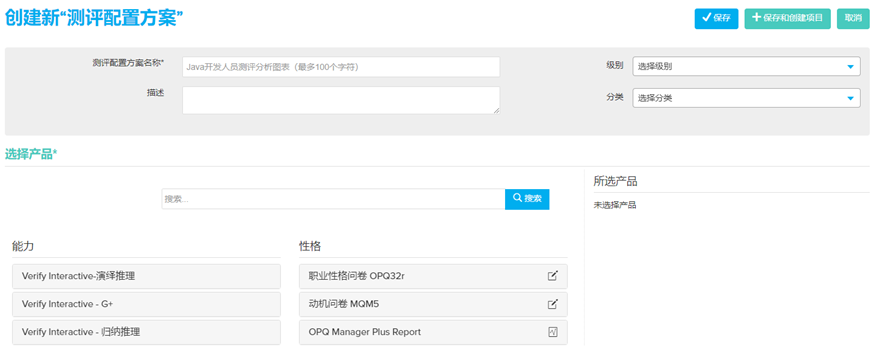
Create a New Assessment Profile
- Select Create New from the menu bar and select Assessment Profile from the drop down.
- Enter the Assessment Profile Name.
- Enter the Description(Optional) and select a Level and Family category(Optional).
- Select the Products that will be under the Assessment Profile.
- Click Save.